
Managing daily travel in Abu Dhabi becomes much easier when you understand how the Hafilat system works. Whether you are a resident, student, or visitor, the Hafilat card acts as a central tool for accessing public bus services across the city. Instead of relying on cash, this smart card allows seamless travel, faster boarding, and better control over your transport expenses. Many users often search for reliable ways to perform a Hafilat balance check or Hafilat Recharge. This is where our tool is useful. All you need is to enter your Hafilat Card number below in our tool to check or recharge your balance instantly.
Hafilat Balance Check And Recharge Card Online
Enter your 16-digit Hafilat card number
Please enter a valid 16-digit card number
Initializing…

What is Hafilat Card?
The Hafilat card is a contactless smart card used for public bus transportation in Abu Dhabi. Managed by the Integrated Transport Centre (ITC), it allows passengers to pay fares electronically without using cash. This abu dhabi bus card balance check system ensures smooth travel across the city’s bus network. The card stores travel credit and can be recharged online or offline. It is widely used by residents, students, and workers for daily commuting. With features like easy top-up and fast tap-in/tap-out functionality, the hafilat card has become an essential part of Abu Dhabi’s public transport system.
How To Check Hafilat Card Balance Online
Checking your Hafilat balance regularly is essential to avoid issues during travel. If your balance is insufficient, you may not be allowed to board or continue your journey. Below is the step-by-step process to check the Hafilat balance online using the official website (https://hafilat.darb.ae/Identification.aspx).
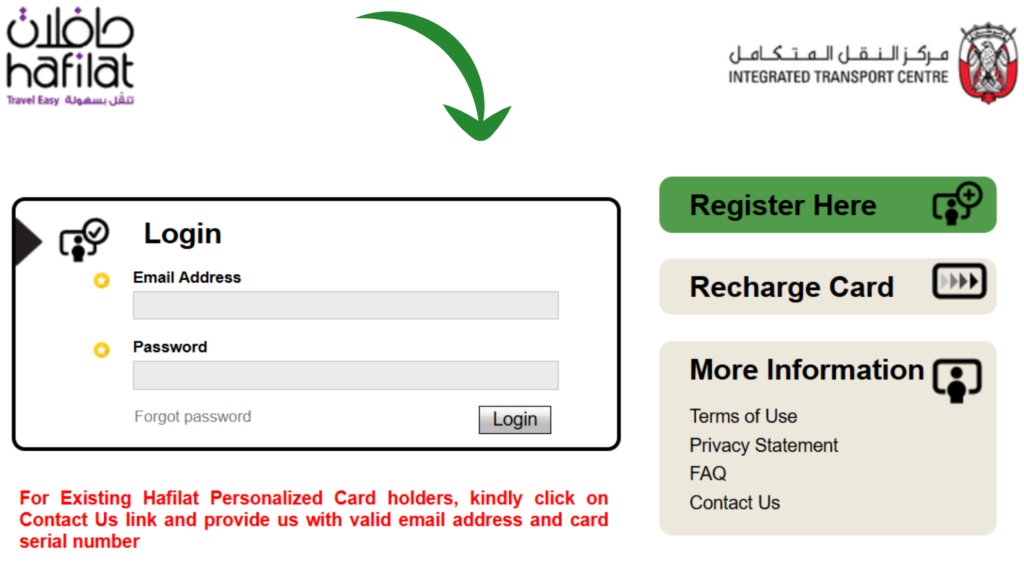
Step 1: Visit Hafilat Official Website
The most authentic and safe way to check the hafilat balance online is to use the official hafilat website. You can directly visit this official website by following this url: (https://hafilat.darb.ae/Identification.aspx). You can see the official website screenshot in the image given below to double check you are visiting the official website.
Step 2: “Click On Recharge Car”
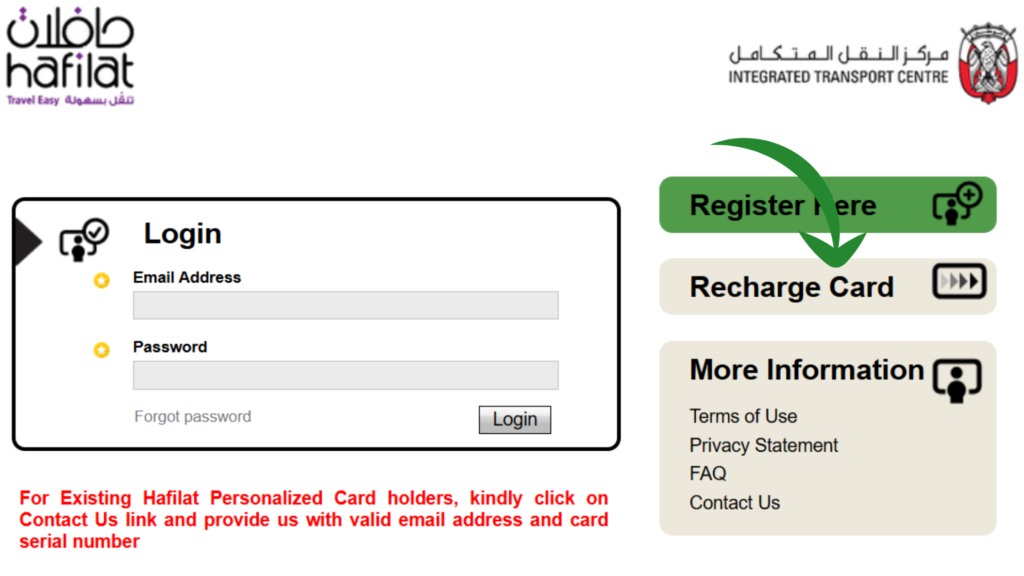
If you already have an account, you can proceed by clicking on the “Recharge Card” option. If you are new and do not have an account, you have to create an account first. In case you do not see the “Recharge Card” option, you can see in the image given below, which is accurately marked.
Step 3: Enter Card Detials
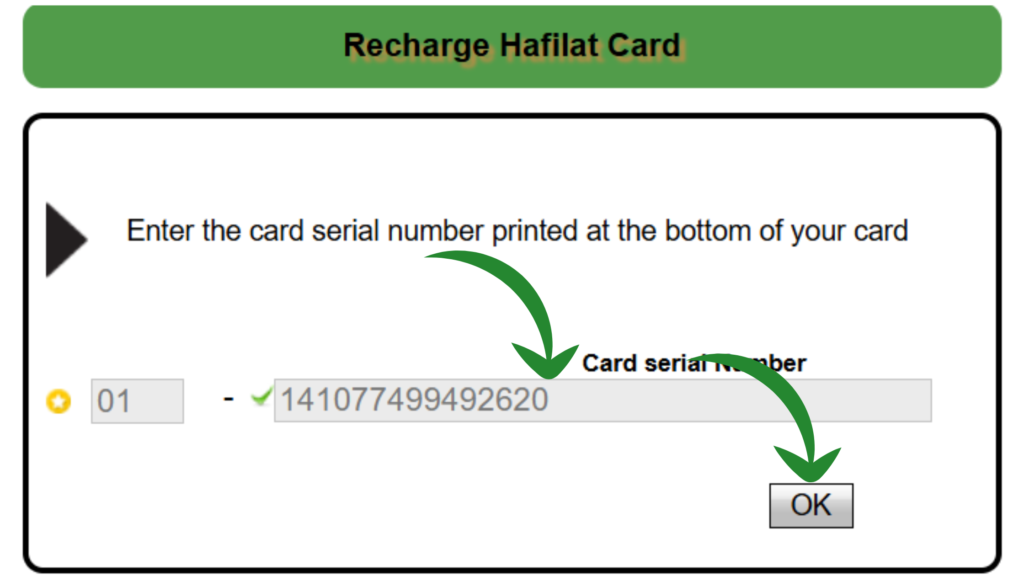
Once you click on the “Recharge Card” option, you will be redirected to Hafilat Card Balance Check page, where you will be asked to enter your 16-digit card number mentioned on the backside of your physical card. Enter that card number in the input field you can see in the image below and click on the ok button to proceed.
Step 4: View Balance And Details
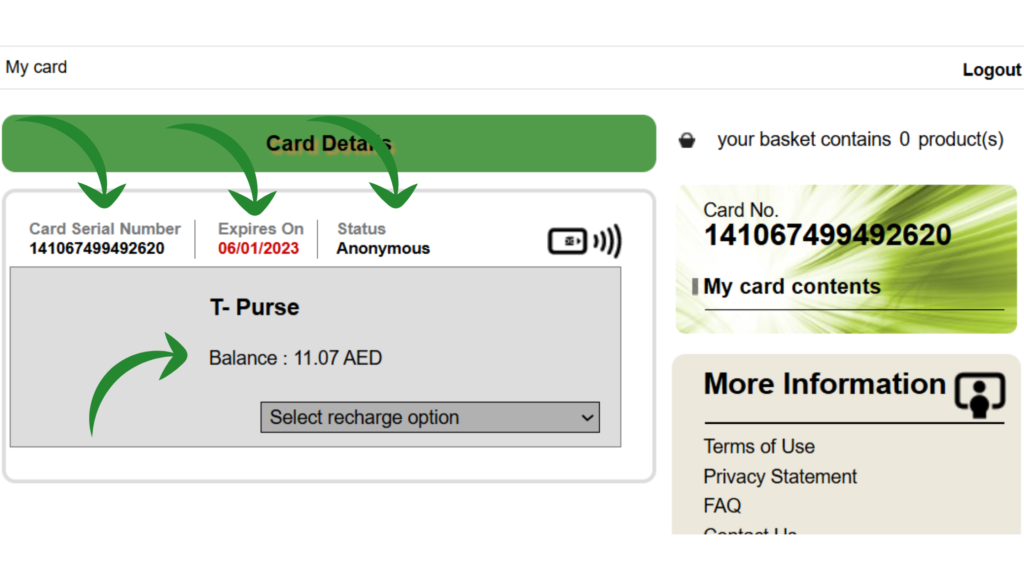
Once you click on the “OK” button, your balance will be displayed on the next page, where you can see your current balance, card serial number, expiry date, and card type like Anonymous, personalized, etc. You can see all the mentioned details in the image given below.
Hafilat Balance Check Using App
The Darb mobile app is the official transport application developed by the Integrated Transport Centre (ITC) for Abu Dhabi public transport services. It provides a fast and reliable way to perform a Hafilat balance check directly from your smartphone without visiting any website or machine.
Step 1: Download App
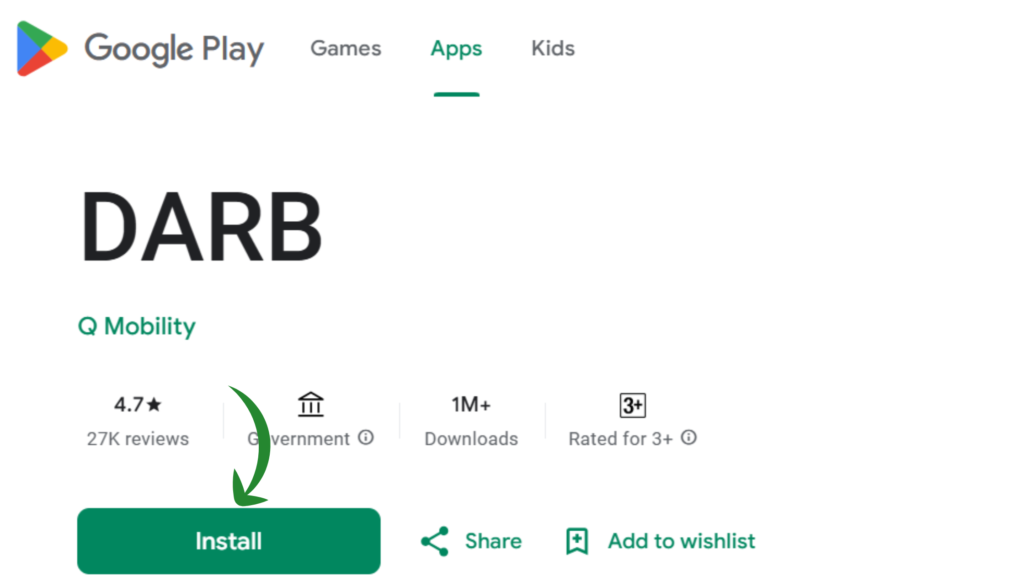
If you want to check Hafilat Balance using the Darb App, you have to download the app from the Google Play Store. You can directly download this app by following this URL: https://play.google.com/store/apps/details?id=com.itc.tollGate&hl=en. Install this app to continue checking Hafilat Balance.
Step 2: Login
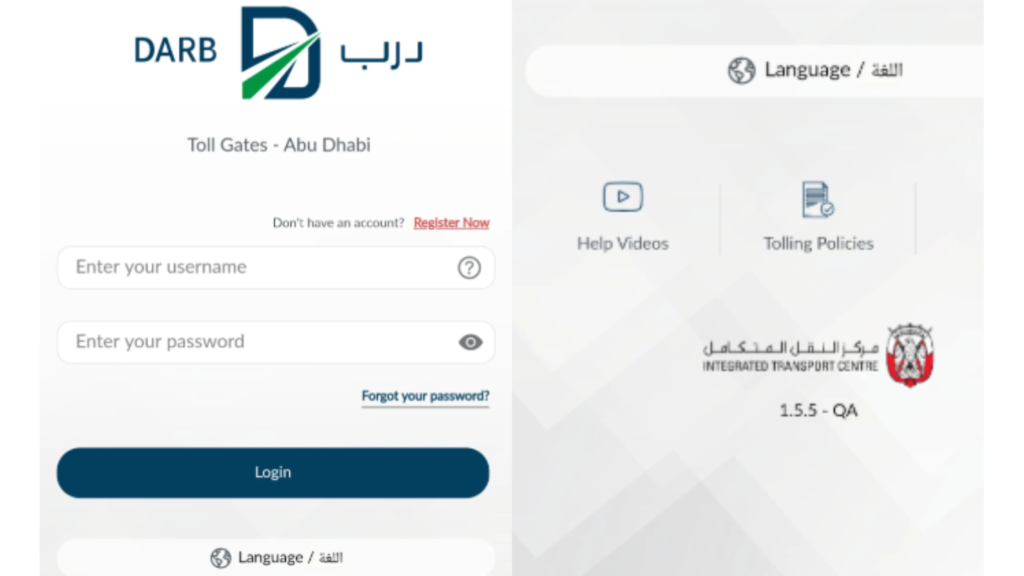
Once you have downloaded the app and installed it, you have to log in with your username and password. Once you enter your login details, click on the “Login” button.
Step 3: View Balance
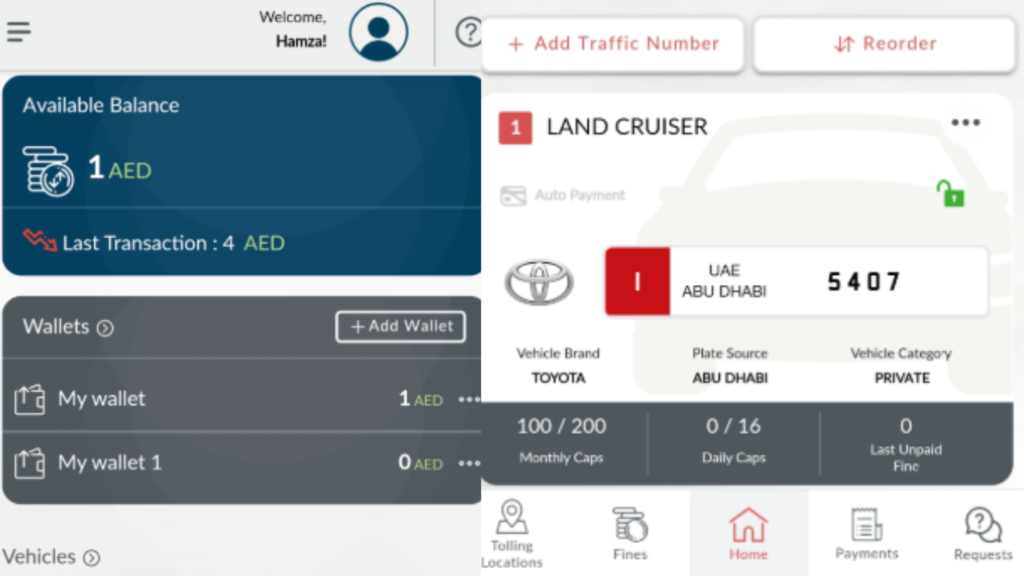
Once you have successfully logged in to your account, you will see your current hafilat balance on the homepage of your account. Now with this app, you can recharge your Hafilat card as well as you can check your fines, transaction history, etc.
How to Check Hafilat Balance Using Payit Wallet App
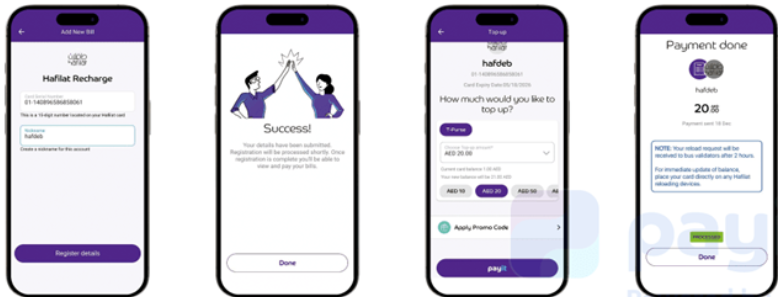
The Payit Wallet App is a digital payment platform in the UAE that also supports transport services like Hafilat. It provides a simple and convenient way to perform a hafilat balance check directly from your mobile phone without needing to visit a website or physical machine. You can download this app and install it directly from this URL (https://play.google.com/store/apps/details?id=com.payit.wallet&hl=en_IN&gl=AE)
Hafilat Balance Check (Offline Methods)
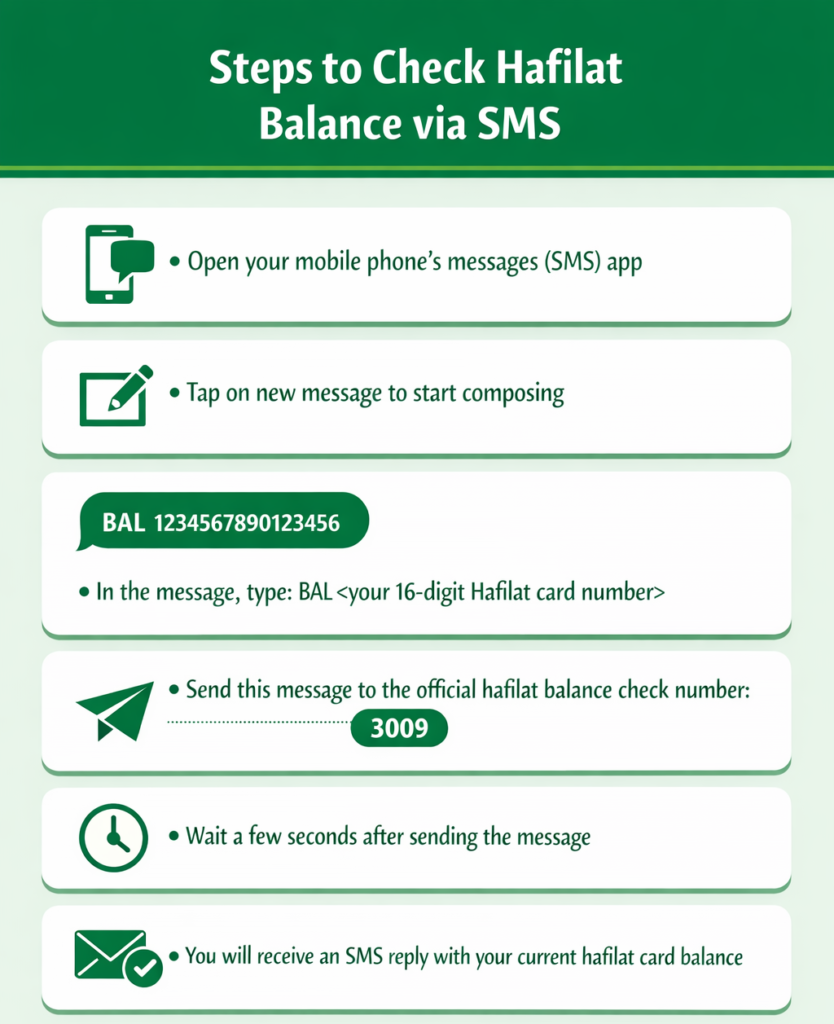
Method 1: Check Balance VIA SMS
Method 2: VIA Ticket Vending Machines (TVM)
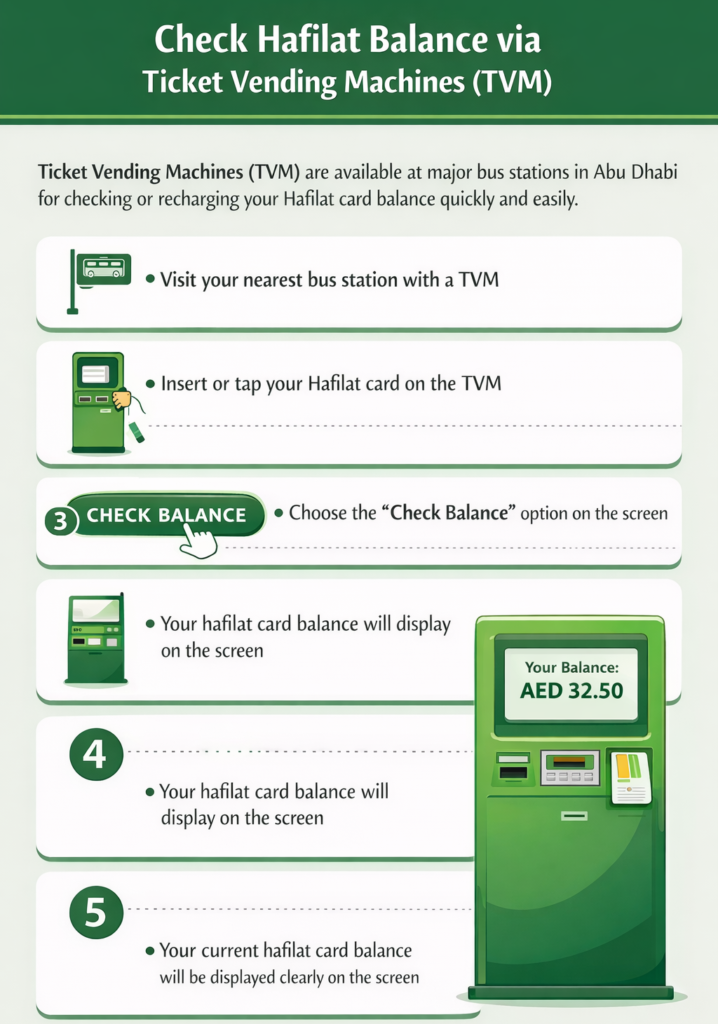
Ticket Vending Machines (TVMs) are self-service machines installed at major bus stations and public transport hubs across Abu Dhabi. These machines allow users to quickly perform a hafilat card balance check without needing internet access or mobile apps. They are reliable, easy to use, and provide instant results, making them a convenient offline option for checking your hafilat balance anytime.
Method 3: VIA Bus Recharge Devices (Inside Bus)
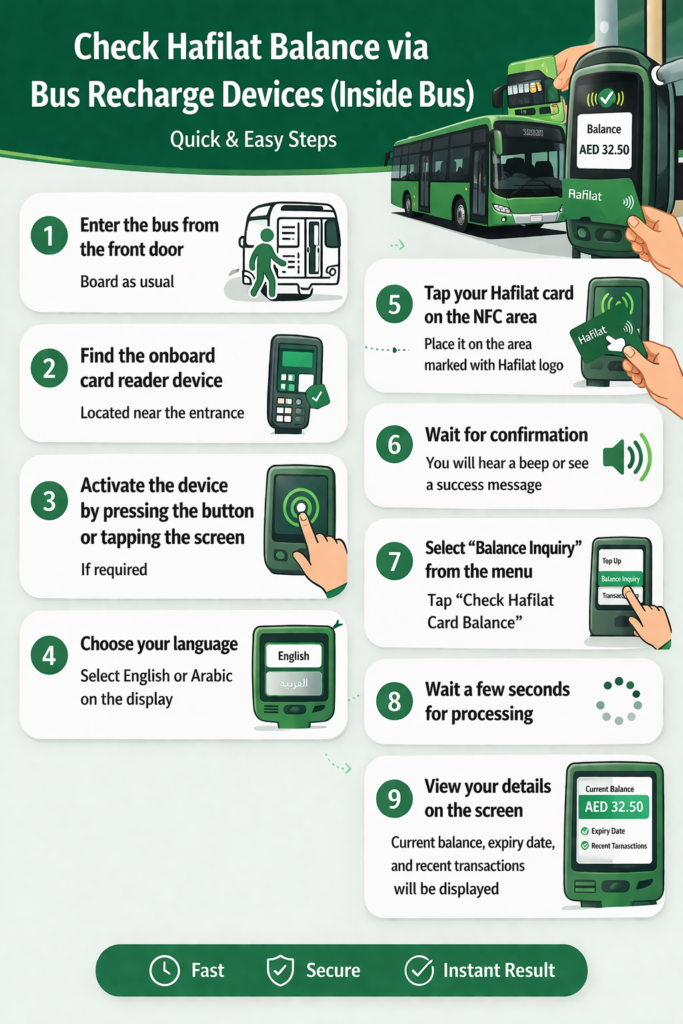
Bus recharge devices are installed inside Abu Dhabi public buses and allow passengers to quickly check their hafilat balance while traveling. These devices are integrated with the fare system, meaning you can view your balance instantly when you tap your card. This method is highly convenient for daily commuters who want to perform a quick hafilat card balance check without using apps, SMS, or machines.
Method 4: VIA Customer Support Centers
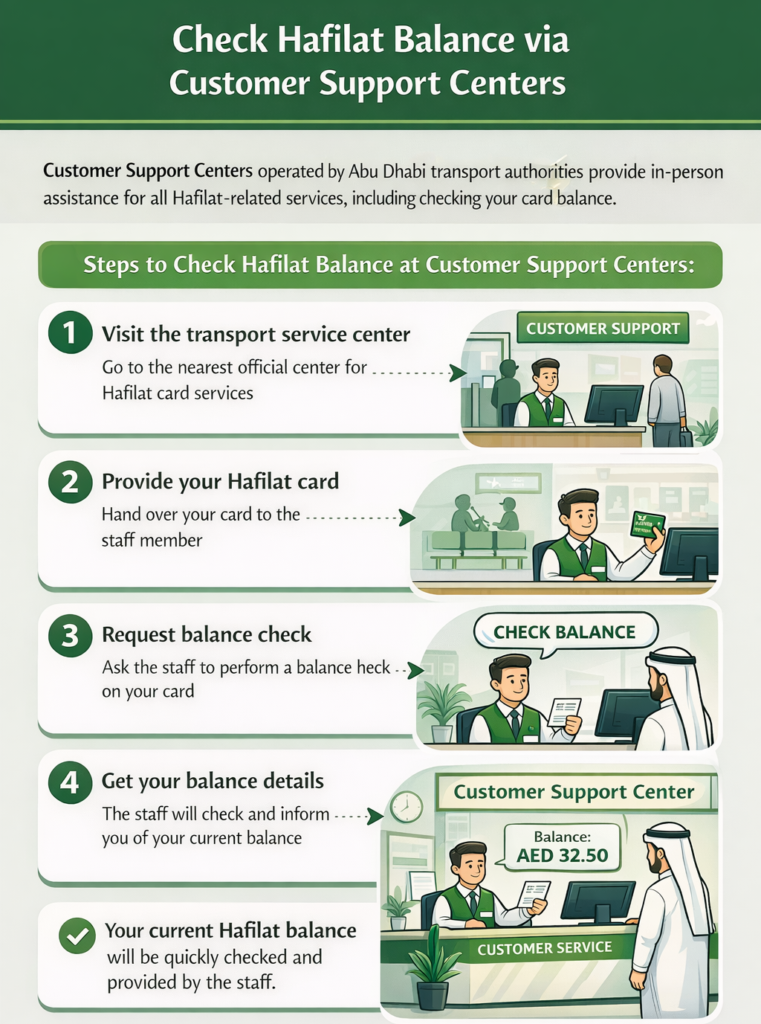
Customer Support Centers are official service locations operated by Abu Dhabi transport authorities where users can get assistance with all Hafilat-related services. This method is ideal for people who prefer in-person help or face issues with online or self-service options. Staff at these centers can quickly check hafilat balance and guide you with recharge, card replacement, or other queries.
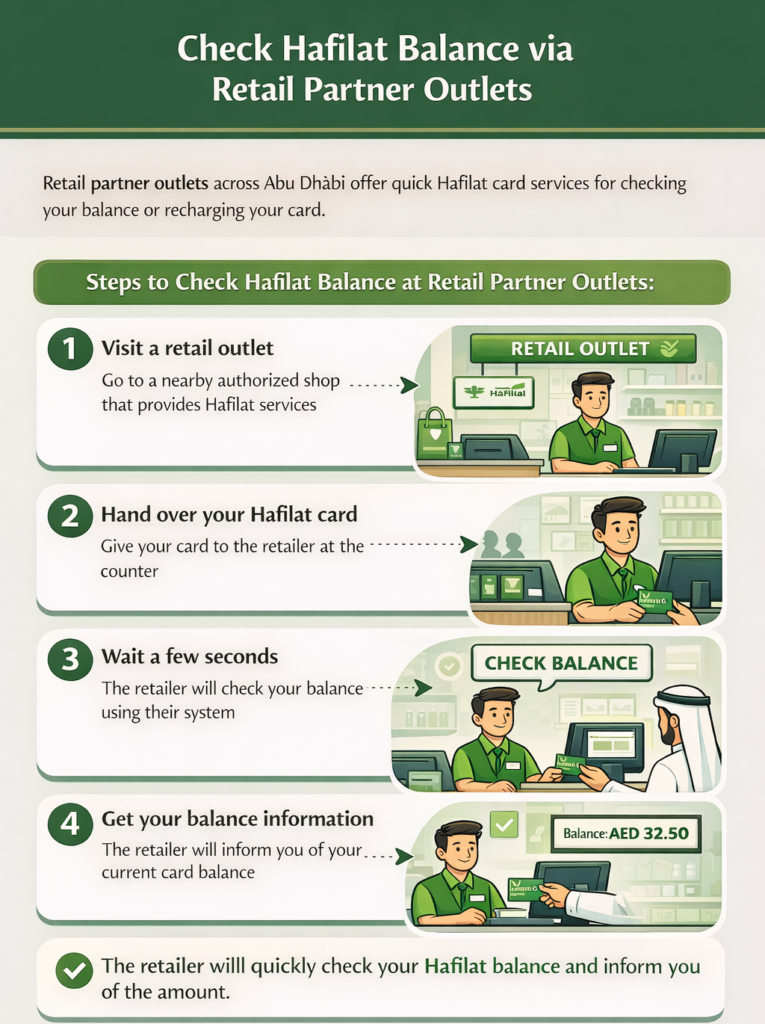
Method 5: VIA Retail Partner Outlets
Retail partner outlets are authorized shops and service points located across Abu Dhabi that provide Hafilat-related services such as balance checking and recharge. This method is convenient for users who are near local stores and want a quick check of their balance without visiting bus stations or using online tools.
Hafilat Recharge (Step By Step)
To recharge your Hafilat Card, you have to repeat all the steps that you have done for Hafilat Balance Check. So we have to continue where you last viewed your balance.
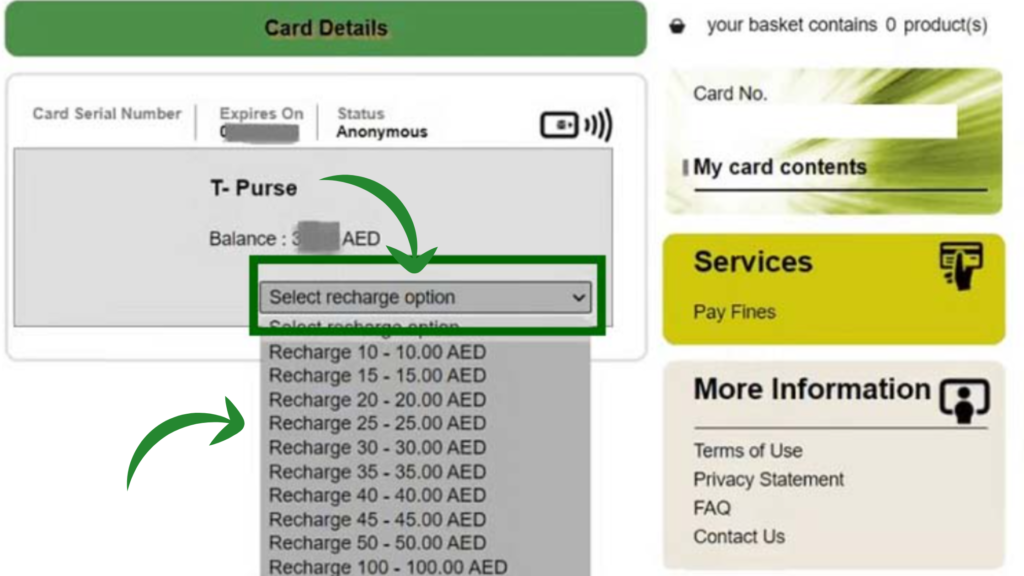
Step 1: Select Recharge Option
Now, click on the option “Select Recharge Option.” A drop-down will appear with following option:
Select your desired amount from the drop-down menu and then proceed for final 2 steps.
Step 2: Select Payment Method
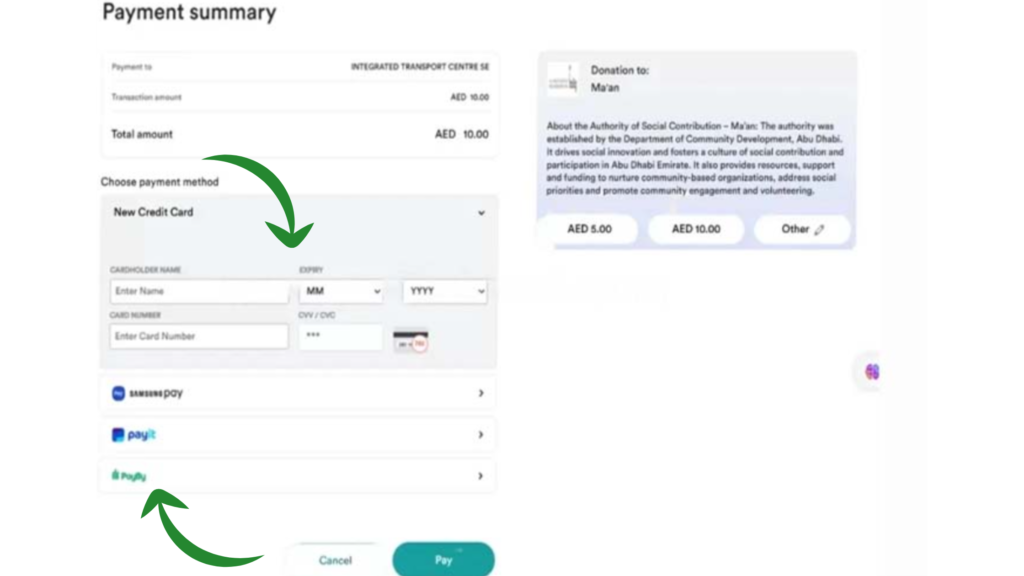
Once you select your recharge amount you will be redirected to the payment page where you will have the following option to pay.
Once you select payment option from the given method now its time to enter your card details such as:
Once you select all these option simply click on the pay option to proceed.
Step 3: Confirmation
Once the payment is done successfully, you will receive an SMS with the new balance added and the total balance. Now you can travel hassle-free all over Dubai.
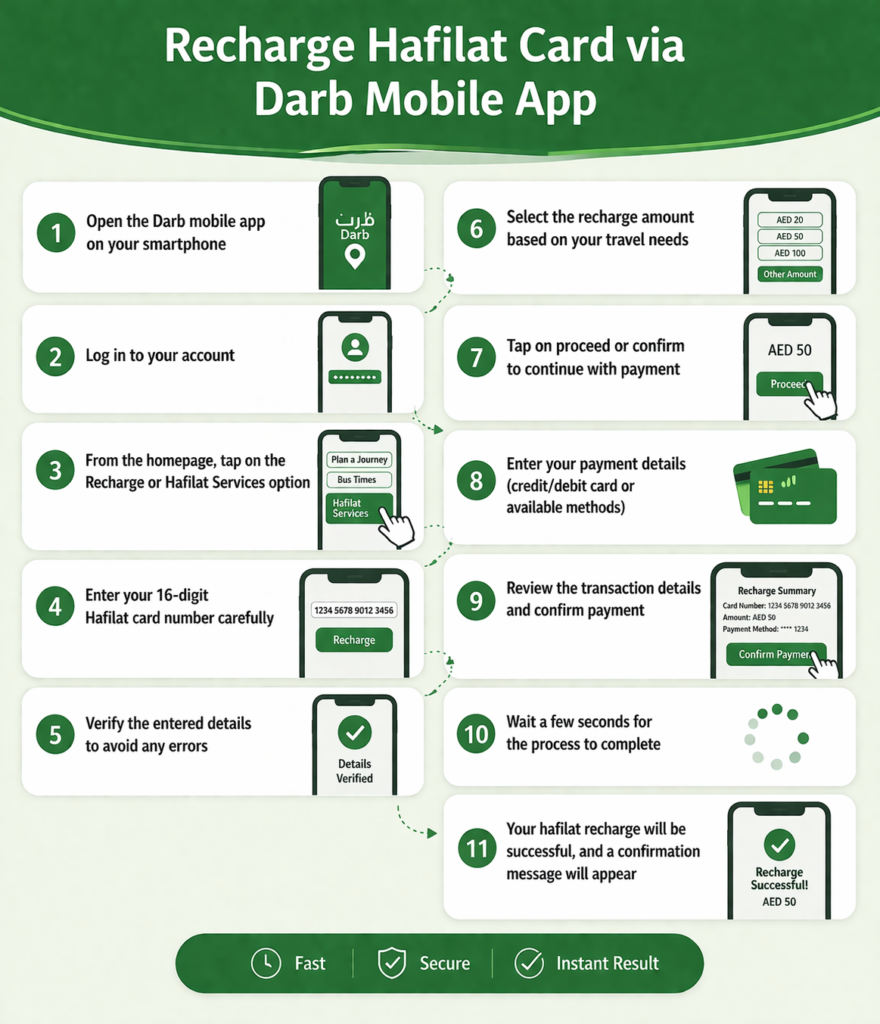
Recharge Hafilat Card via Darb Mobile App
The Darb mobile app provides a fast and secure way to complete a hafilat recharge directly from your smartphone. It is officially developed for Abu Dhabi transport services and allows users to manage their hafilat card, check balance, and recharge anytime without visiting physical locations.
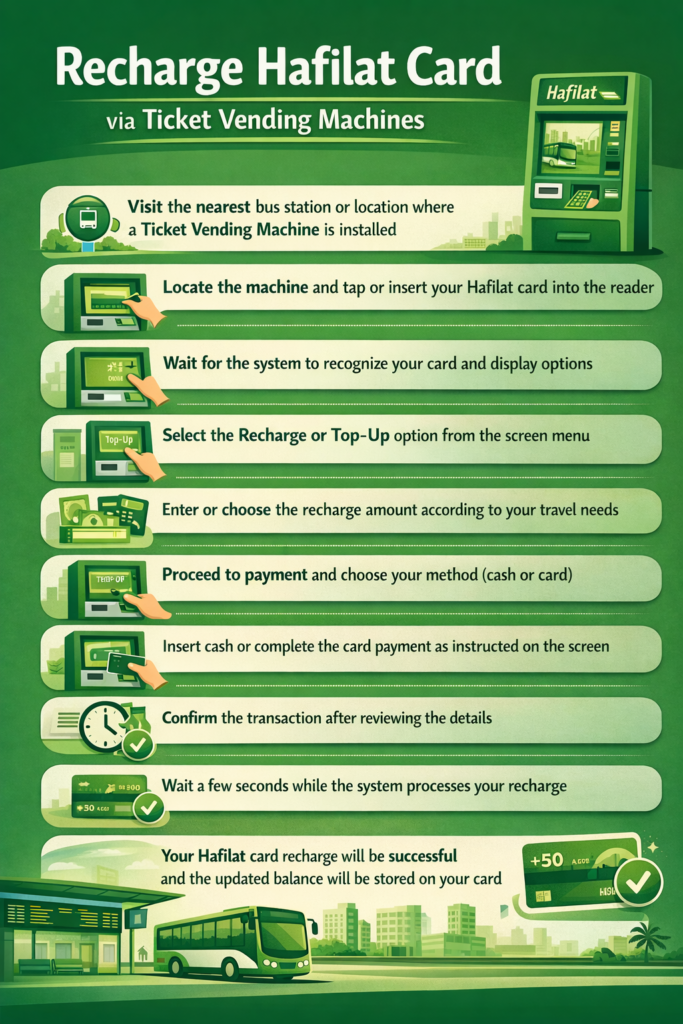
Recharge Hafilat Card via Ticket Vending Machines
Ticket Vending Machines (TVMs) are self-service kiosks available at bus stations and public transport hubs across Abu Dhabi. These machines allow users to perform a quick and secure hafilat card recharge without needing a mobile app or internet connection.
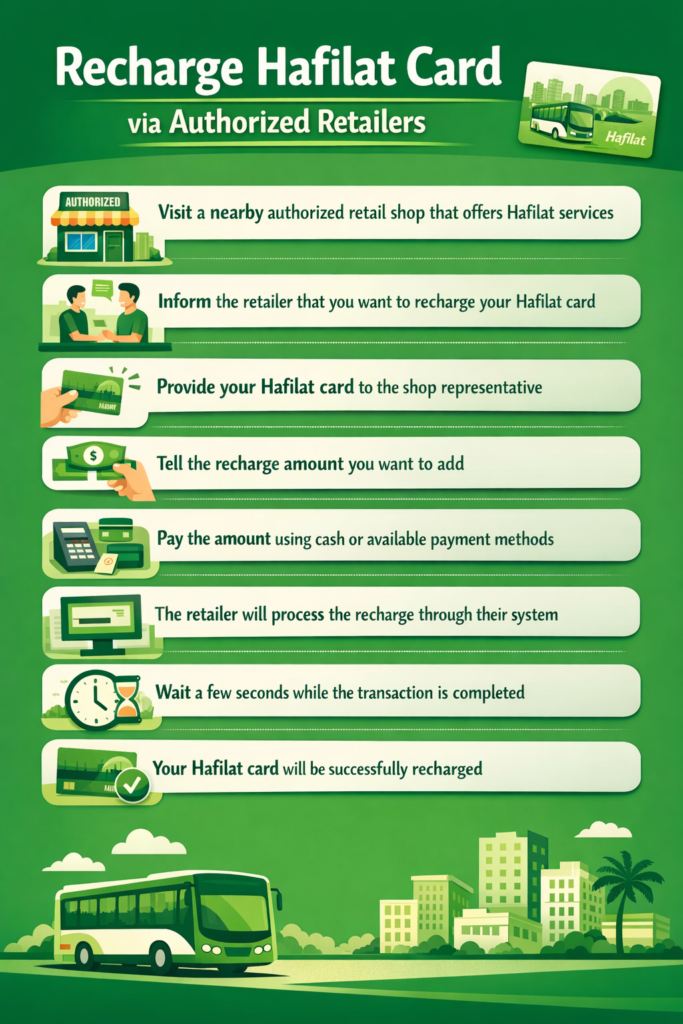
Recharge Hafilat Card via Authorized Retailers
Authorized retail shops across Abu Dhabi provide a quick and convenient way to complete a Hafilat recharge without using online platforms or machines. This method is ideal for users who prefer in-person service and want instant recharge confirmation.
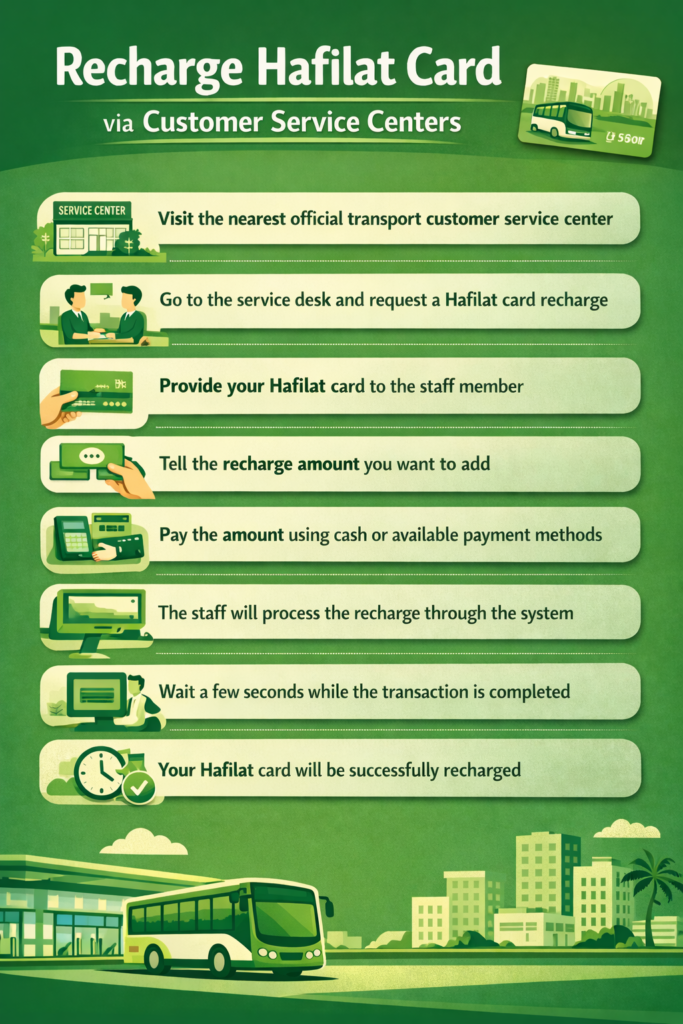
Recharge Hafilat Card via Customer Service Centers
Customer Service Centers are official transport offices in Abu Dhabi where users can complete a Hafilat recharge with direct assistance from trained staff. This method is ideal for users who prefer face-to-face support or need help with card-related issues, ensuring a secure and reliable recharge process.
Tips For Maintaining a Sufficient Hafilat Card Balance
Always Check Before Travel
Checking your hafilat balance before boarding helps you avoid sudden issues during your journey. It ensures you have enough credit and prevents entry denial or travel interruptions.
Recharge Before Balance Gets Low
Do not wait until your balance reaches zero, as this can delay your travel plans. Recharging early keeps your hafilat card ready for use at all times without last-minute stress.
Use Mobile Apps for Monitoring
Using apps like Darb or Payit allows you to check your balance anytime with ease. This helps you stay updated and manage your hafilat card balance check more efficiently.
Keep Emergency Backup Balance
Maintaining a small extra balance in your card is always a smart move. It helps cover unexpected trips, route changes, or delays without worrying about insufficient funds.
Track Your Travel Usage
Understanding how often you travel and how much balance you use daily can help you plan better. This allows you to recharge hafilat card at the right time and avoid unnecessary issues.
Verify Balance After Every Recharge
After completing a hafilat recharge, always check your updated balance to confirm success. This ensures your transaction is processed correctly and avoids confusion later.
How To Apply For Hafilat Card? (Step By Step)
Step 1: Check Eligibility and Prepare Required Documents
Before applying for a Hafilat card, you need to confirm your eligibility based on the card type and keep the necessary documents ready. Different cards are issued for general users, residents, students, seniors, and people of determination, each with specific requirements.
Step 2: Visit an Authorized Hafilat Card Issuance Location
Hafilat cards are issued at multiple official locations across Abu Dhabi, including transport offices, bus stations, and selected retail partners. You can choose the nearest center based on your convenience.
Step 3: Submit Application and Complete Verification Process
Once you arrive at the service center, you need to follow a simple process to apply for your card. The staff will guide you through the application and document verification.
Step 4: Card Issuance and Activation
After completing the application, your Hafilat card will be prepared and activated on the spot. The staff will process your information and hand over the card ready for use.
Types of Hafilat Card
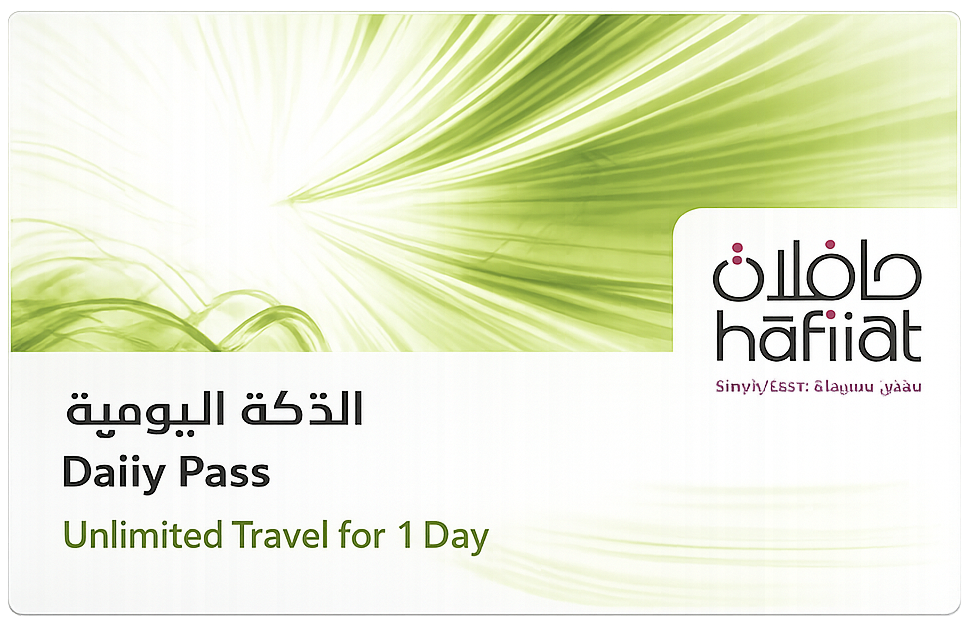
Daily Pass
The Daily Pass hafilat card allows unlimited bus travel within a single day for a fixed fare. It is ideal for frequent travelers who want a convenient hafilat balance solution without multiple deductions.
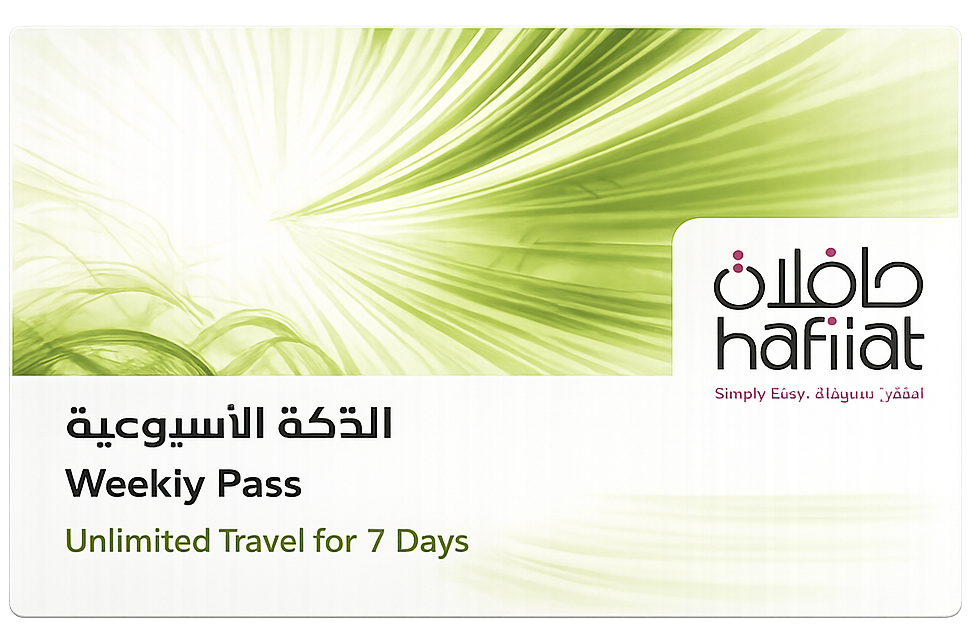
Weekly Pass Hafilat Card
The Weekly Pass hafilat card provides unlimited travel for seven consecutive days at a fixed cost. It is suitable for regular commuters who want to reduce the need for repeated hafilat recharge.
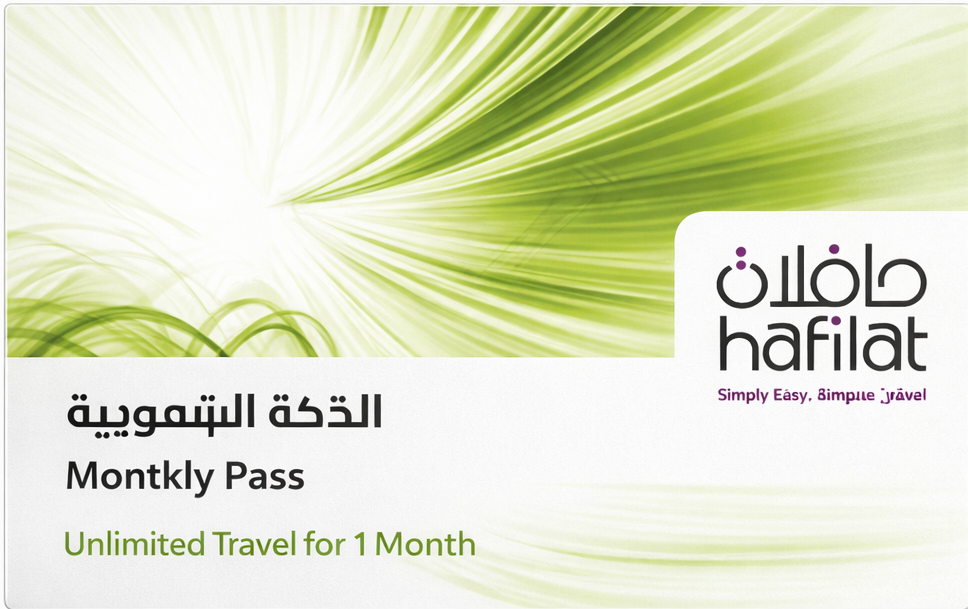
Monthly Pass Hafilat Card
The Monthly Pass hafilat card offers unlimited travel for an entire month, making it cost-effective for daily users. It eliminates the need for frequent hafilat card balance check and ensures uninterrupted travel.
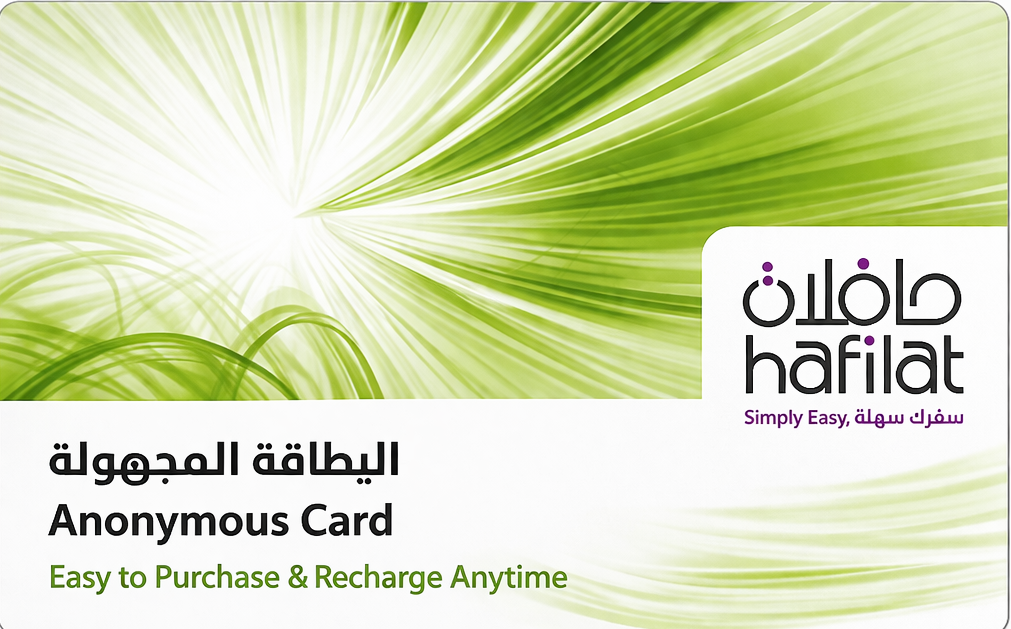
Anonymous Hafilat Card
The Anonymous hafilat card is used by the general public without requiring registration or personal details. It is easy to purchase and supports quick hafilat balance check and recharge anytime.
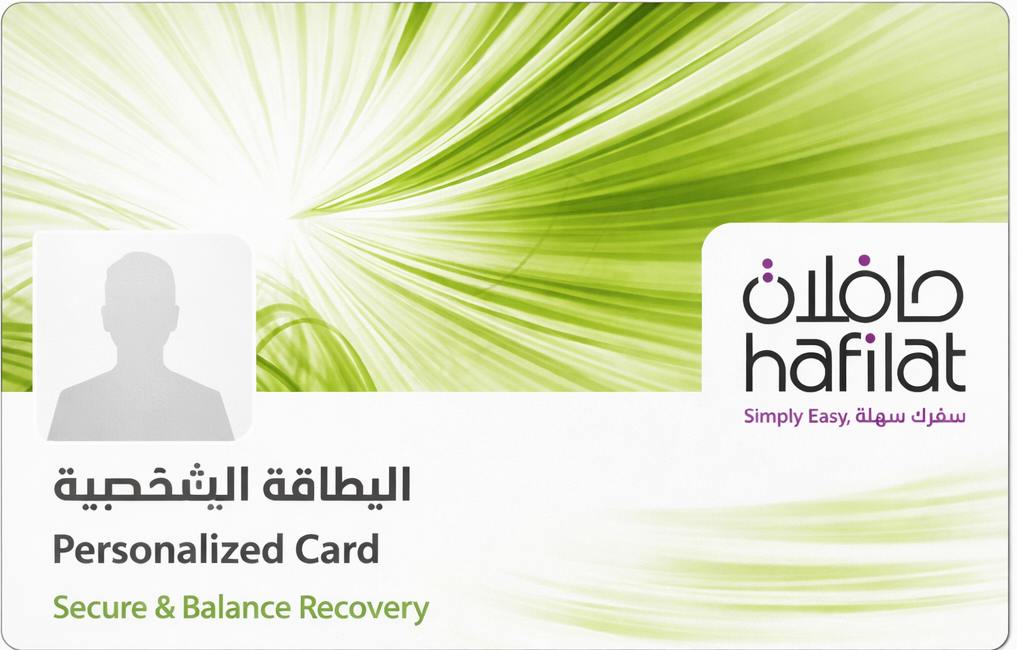
Personalized Hafilat Card
The Personalized hafilat card is linked to user information, providing added security and balance recovery options. It is ideal for users who regularly perform hafilat card balance check and rely on safe usage.
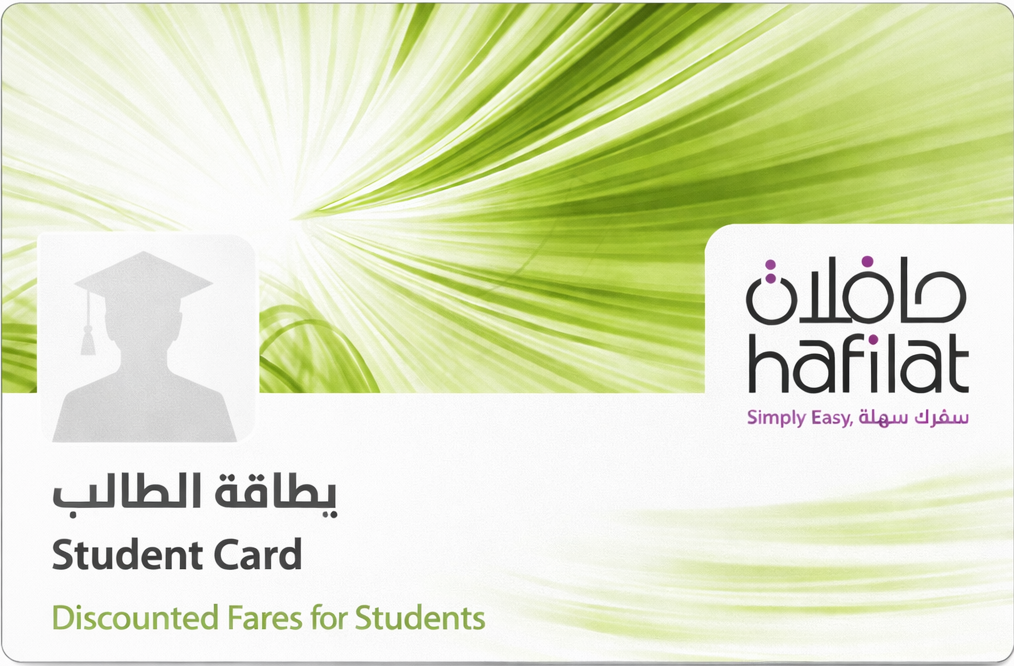
Student Hafilat Card
The Student hafilat card is designed for eligible students and offers discounted fares for daily commuting. It helps reduce travel costs while allowing easy hafilat check balance and recharge access.
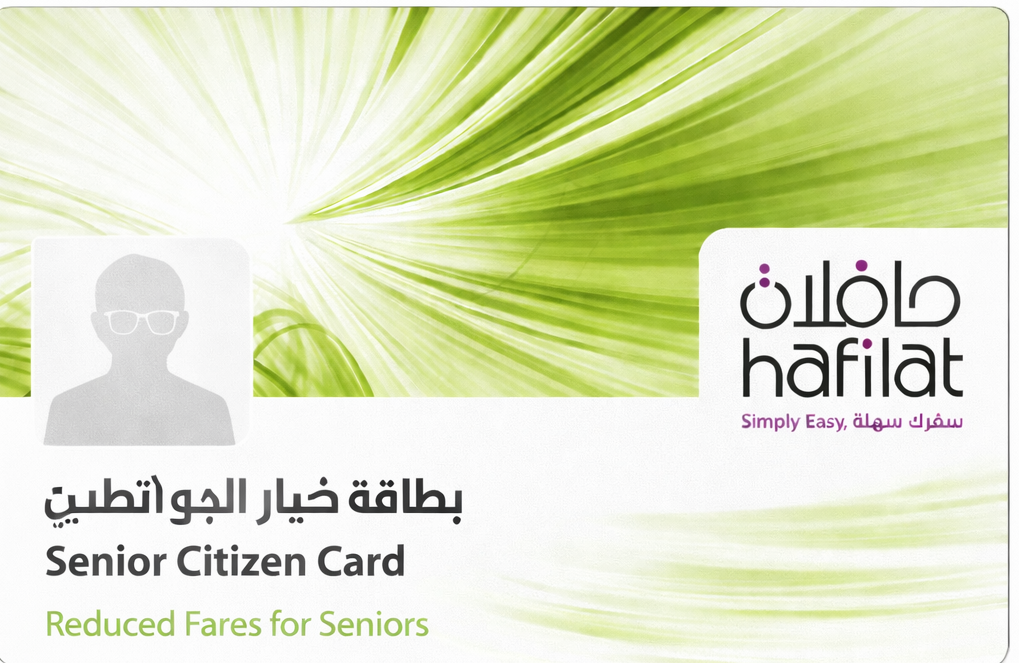
Senior Citizen Hafilat Card
The Senior Citizen hafilat card provides reduced fares for elderly passengers in Abu Dhabi. It ensures affordable travel with simple hafilat balance and recharge management.

Temporary / Tourist Hafilat Card
The Temporary or Tourist hafilat card is ideal for visitors who need short-term access to public buses. It offers easy purchase, simple recharge, and quick bus card balance check online or offline.
Hafilat Card Types, Pricing & Features
|
Card Type |
Price (AED) |
Validity |
Best For |
Key Features |
|---|---|---|---|---|
|
Daily Pass Hafilat Card |
~AED 5–10 |
1 Day |
Short-term heavy travel |
Unlimited rides for one day, no need for multiple deductions |
|
Weekly Pass Hafilat Card |
~AED 30–50 |
7 Days |
Regular weekly commuters |
Unlimited travel for 7 days, reduces frequent recharge |
|
Monthly Pass Hafilat Card |
~AED 80–150 |
30 Days |
Daily users |
Cost-effective unlimited travel, no daily balance worries |
|
Anonymous Hafilat Card |
AED 10 (card cost) |
No expiry |
General public |
No registration required, easy hafilat balance check & recharge |
|
Personalized Hafilat Card |
AED 10–20 |
Long-term |
Regular users |
Secure, balance recovery, linked to user details |
|
Student Hafilat Card |
Discounted |
Academic period |
Students |
Reduced fares, easy hafilat check balance & recharge |
|
Senior Citizen Hafilat Card |
Free / Minimal |
Long-term |
Elderly passengers |
Special discounts, affordable travel |
|
Temporary / Tourist Card |
~AED 10–20 |
Short-term |
Visitors |
Easy purchase, quick bus card balance check online/offline |
|
Silver Card (Prepaid) |
AED 10 |
No expiry |
Flexible users |
Rechargeable, supports hafilat card online check balance |
How to use Hafilat Card On Bus
Step 1: Board the Bus from the Front Door
Before starting your journey, make sure you enter the bus through the front door where the card reader is installed. This is the standard entry point for all passengers using a Hafilat card.
Step 2: Tap Your Hafilat Card on Entry
Once inside, you need to tap your card on the machine to register the start of your journey. This step is necessary for proper fare calculation.
Step 3: Travel and Keep Your Card Safe
During your journey, you don’t need to interact with the system again until you reach your destination. However, it’s important to keep your card safe.
Step 4: Tap Your Card Again When Exiting
When you reach your destination, you must tap your card again to complete the journey. This ensures the correct fare is deducted based on distance.
Frequently Asked Question
2. What is hafilat balance check number?
The hafilat balance check number is an official SMS service that allows users to check their hafilat card balance by sending their card number via text message. Type BAL and send it to 3009.
3. Can I recharge hafilat online?
Yes, you can complete a hafilat online recharge through the Darb website or mobile app using your debit or credit card in just a few steps.
4. How long does hafilat recharge take?
A hafilat card recharge is usually processed instantly, but in some cases, it may take a few minutes and require tapping the card on a bus machine for activation.
5. Can tourists use hafilat card?
Yes, tourists can use a temporary or anonymous hafilat card, which allows easy travel and quick bus card balance check online or offline.
6. What if my hafilat balance is low?
If your hafilat balance is low, you will need to recharge your card before boarding the bus to avoid travel interruption or denied access.
7. Is Payit app useful for hafilat services?
Yes, the Payit app is useful for both hafilat check balance and recharge, providing a simple and convenient digital solution.
8. Can I check hafilat balance offline?
Yes, you can check your hafilat balance offline using SMS, ticket vending machines, bus devices, or authorized retail outlets.
Conclusion
The Hafilat system is a well-designed solution for public transport in Abu Dhabi, offering convenience, efficiency, and flexibility for all users. Whether you want to perform a hafilat card balance check or complete a hafilat online recharge, there are multiple methods available to suit every situation. Understanding how to use, recharge, and manage your hafilat card ensures a smooth travel experience across the city. By following the steps and tips shared in this guide, you can avoid common issues and make the most out of your Abu Dhabi bus card balance check system.
